
Automating processes with AI: a practical guide for companies (2026)
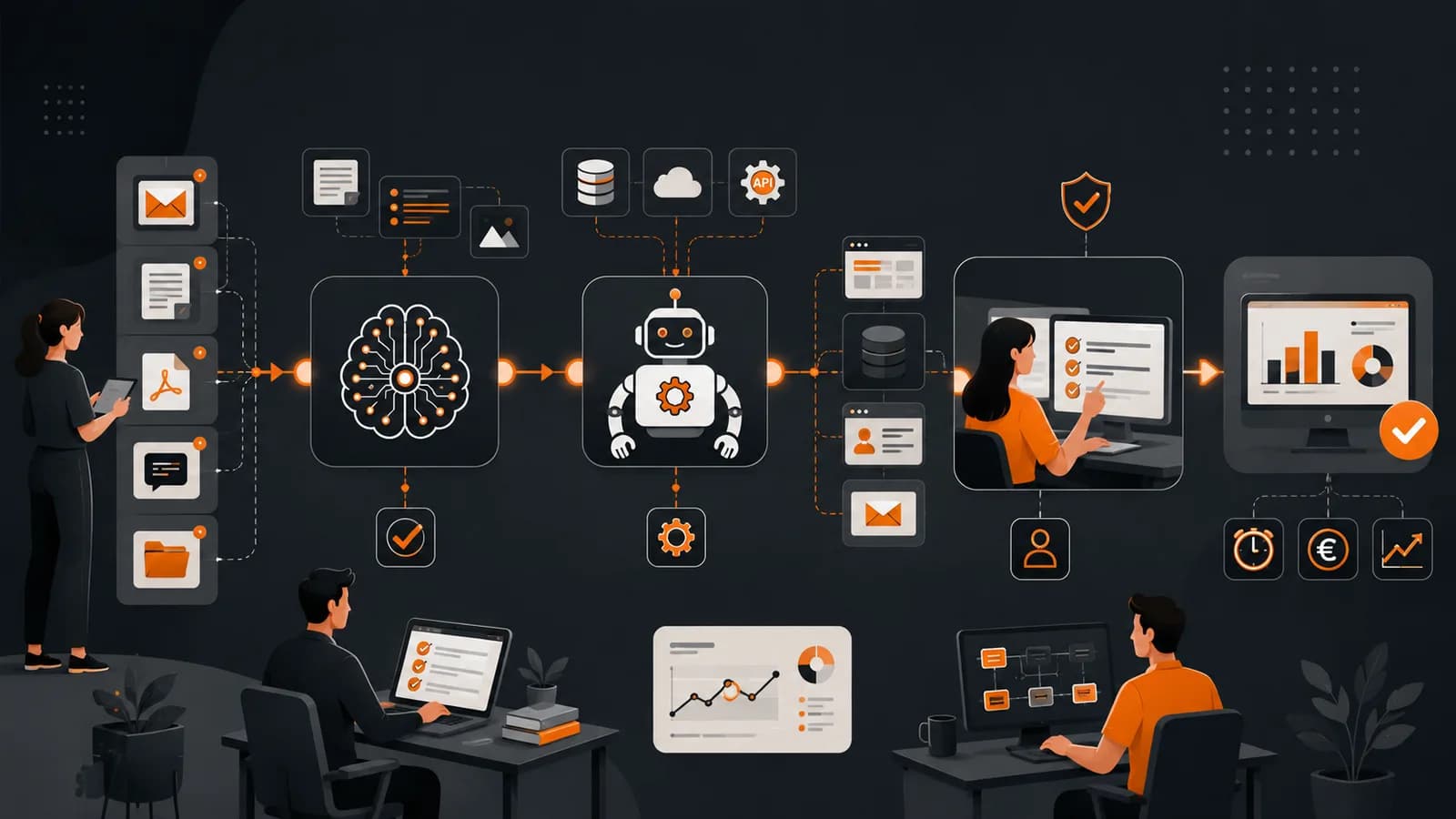
Automating processes with AI involves using systems capable of interpreting information, making limited decisions and performing tasks within a business workflow. In 2026, the best results do not usually come from installing an isolated chatbot, but from redesigning a repetitive process, connecting it to existing tools and measuring time, errors and costs before and after implementation.
Not everything should be automated, and not every automation requires artificial intelligence. Tasks governed by fixed rules can be handled through integrations or traditional RPA, while AI is useful when emails, documents, images or natural language need to be interpreted.
What does automating processes with AI mean in 2026?
A business automation receives an input, applies a series of rules or models and generates an action. For example, it may read a request received by email, identify the customer, classify the reason for the request, check the CRM and create a task for the appropriate department.
The difference compared with conventional automation is that artificial intelligence can work with less structured information. A model can interpret different ways of expressing the same request, summarise a document or detect that information is missing before continuing.
This does not mean that the system understands the business in the same way as a person. Models can make mistakes, misinterpret an exception or generate an apparently correct answer that is not supported by the data. For this reason, automating processes with AI requires limits, authorised sources, records and human oversight checkpoints.
McKinsey’s global survey on the state of AI in 2025, used as a reference in 2026, indicates that 88% of the organisations surveyed regularly used AI in at least one business function. However, only 39% reported any impact on company EBIT. According to the McKinsey report on AI adoption and value, redesigning workflows is one of the factors that most clearly distinguishes organisations that achieve results.
Which processes should you automate first?
The best first use case is not always the one that consumes the most hours. It should combine sufficient impact, accessible data, limited risk and a reasonable number of exceptions. A highly expensive but infrequent task may produce a lower return than a small operation repeated hundreds of times.
Before automating processes with AI, assess each candidate using the following criteria:
Frequency: how many times it is performed each week or month.
Time: how many minutes of human work each operation requires.
Standardisation: how similar one operation is to the next.
Data quality: whether the inputs are accessible, complete and reliable.
Exceptions: what percentage requires interpretation or special authorisation.
Cost of error: what happens if the system classifies or performs an action incorrectly.
Reversibility: whether an incorrect action can be detected and reversed.
Impact Effort Recommended priority Examples High Low Start here Classify emails, extract fields, generate drafts or update statuses High High Analyse and divide into phases End-to-end order management, production planning or multichannel support Low Low Automate if it removes a recurring burden Internal notifications, periodic summaries or document archiving Low High Postpone Infrequent processes involving numerous exceptions or poor-quality data
In our agency projects, we find that the best initial automations are usually found in administration, customer service, document management and sales operations. These areas contain repetitive tasks as well as text or documents that an integration based solely on rules cannot interpret effectively.
Our guide to artificial intelligence for SMEs contains other use cases related to forecasting, marketing, internal knowledge and anomaly detection.
Traditional RPA versus language models: when should each be used?
Robotic process automation, or RPA, uses software robots that reproduce human actions within applications: opening screens, copying information, clicking buttons or downloading files. The definition of robotic process automation specifically highlights its ability to interact with computer interfaces.
An LLM, or large language model, processes and generates natural language. It can classify text, summarise documents, extract concepts or draft responses, but its behaviour is probabilistic: it may produce variations when given the same information and therefore requires additional controls.
Criterion Traditional RPA LLM or generative AI Type of input Structured data and screens Emails, documents and natural language Operation Deterministic rules Probabilistic interpretation Best use Repetitive and stable tasks Classification, extraction, summarisation and generation Main weakness Breaks when the interface or process changes May produce inaccurate answers Oversight Technical error control Validation of confidence, sources and content
There is no need to choose just one technology. An intelligent automation can use a language model to interpret a request and RPA to enter the result into a legacy system without an API.
In its analysis of AI agents and collaborative automation, Deloitte notes that combining RPA and agents can expand automation capabilities, provided that human oversight is retained to ensure control and accountability.
At Owius, we have already examined this combination in our article on RPA integrated with applications and digital automation.
Quantified example: saving 16 hours per week
To avoid attributing confidential figures to a client, we use a representative example based on rounded values that recur in business projects.
A service company receives approximately 240 requests per week by email. Before automation, a person takes an average of five minutes to read each message, identify the customer, classify the request, copy the data into the CRM and assign the task.
Initial situation: 240 requests × 5 minutes = 20 hours per week.
After automation: the system automatically processes 75% of the requests.
Exception review: the remaining 25% requires three minutes per request, amounting to approximately 3 hours per week.
Oversight: one hour per week is allocated to reviewing metrics and errors.
Result: the process falls from 20 to 4 hours per week.
The estimated saving is 16 hours per week. Across 48 operational weeks, this amounts to 768 hours per year. If the total labour cost used in the calculation is €27 per hour, the potential gross benefit is €20,736 per year.
This calculation is only valid if the time released is used for productive work. Saving theoretical hours without changing how the team’s work is planned does not automatically generate a financial benefit.
Quality and errors must also be measured. If the system reduces the time required but creates duplicate records or assigns requests incorrectly, the apparent savings may disappear through corrections and a decline in service quality.
How to calculate the ROI of automating processes with AI
Return on investment, or ROI, compares the financial benefit obtained with the total cost of implementing and operating the solution. To approach process automation with AI rigorously, first establish a baseline and use conservative assumptions.
ROI = (benefit obtained − total cost) / total cost × 100
Using the previous example:
Estimated annual benefit: €20,736.
Initial implementation: €9,000.
APIs, infrastructure and annual maintenance: €2,400.
Total first-year cost: €11,400.
Net first-year benefit: €9,336.
Approximate ROI: 82%.
The payback period for the initial investment would be approximately six months, assuming that volumes remain stable and the hours saved have the expected value. This is not a guarantee: it is a model for making decisions and comparing scenarios.
The calculation should include:
The time and cost of the current process.
A realistic percentage of operations that can be automated.
The time required to review exceptions.
Development, integration and training costs.
Model usage, licences and infrastructure.
Maintenance, monitoring and future adaptation.
The expected cost of errors and corrections.
In addition to savings, there may be benefits relating to speed, capacity or quality. A faster sales response may improve conversion, but this effect should be measured separately rather than added as an unsupported promise.
Risks and roadmap for implementing automation
The main risks involved in automating processes with AI are not eliminated by choosing a more powerful model. They must be managed through design, testing and operational governance.
Automating a flawed process: analyse and simplify it before development begins.
Incorrect or disorganised data: validate sources, formats and permissions.
Fabricated answers: restrict sources, apply confidence thresholds and require review for significant decisions.
Unforeseen exceptions: create a human review queue and prevent the system from forcing an answer.
Irreversible actions: require approval before payments, deletions, sensitive communications or critical changes.
Lack of traceability: record what the system received, what it decided and what action it performed.
Vendor dependency: control costs, data export options and technical alternatives.
Team resistance: involve the people who perform the process and use their knowledge to design the rules.
A practical roadmap can be divided into six steps:
Measure the current process over several weeks.
Select a limited and reversible workflow.
Design the inputs, outputs, exceptions and responsibilities.
Build a pilot using controlled data.
Compare time, quality and cost against the baseline.
Expand only if the results are sustained in production.
At Owius, we recommend ensuring that the initial pilot can later be connected to the company’s other systems. An isolated demonstration may appear impressive, but it has no operational value if the team has to copy its results manually.
Frequently asked questions
What tasks can be automated using artificial intelligence?
Tasks such as classifying emails, extracting data from documents, generating drafts, summarising information, updating systems and detecting anomalies can be automated. The best candidates are frequent, measurable and reversible. Critical legal, financial or people-related decisions require stricter controls and oversight.
What is the difference between RPA and artificial intelligence?
RPA performs predefined steps within systems and screens, while AI can interpret unstructured information such as text or documents. RPA is more predictable; AI is more flexible, but it can make mistakes. Many business solutions combine both technologies.
How much does it cost to automate a process with AI?
A simple pilot may start at a few thousand euros, while automation integrated with several systems may cost more than €10,000 or €20,000. The budget depends on the process, data sources, integrations, security, exceptions and required maintenance.
How long does an automation project take?
A limited pilot can be developed in four to eight weeks when the process and data are clearly defined. A complete implementation may require several months. The timeframe increases when legacy systems, insufficient documentation, numerous exceptions or complex security and validation requirements are involved.
Does AI automation eliminate jobs?
There is no single outcome. Automation may reduce manual tasks, change responsibilities or increase the team’s capacity. Its impact depends on how the process is redesigned and how the released time is used. The company should plan training, oversight and the reassignment of tasks from the outset.
Automating processes with AI can generate a measurable return when an appropriate task is selected, a baseline is calculated and human controls are retained. The objective is not to use AI everywhere, but to reduce repetitive work without sacrificing quality, security or decision-making ability.
Owius is a software, application and artificial intelligence development company in Barcelona with more than 25 years of experience. If you want to identify which processes offer the greatest return and build a solution integrated with your systems, discover our automation and artificial intelligence consulting service for businesses.